# Self-Hosted CI/CD Workflows with Woodpecker and Piper
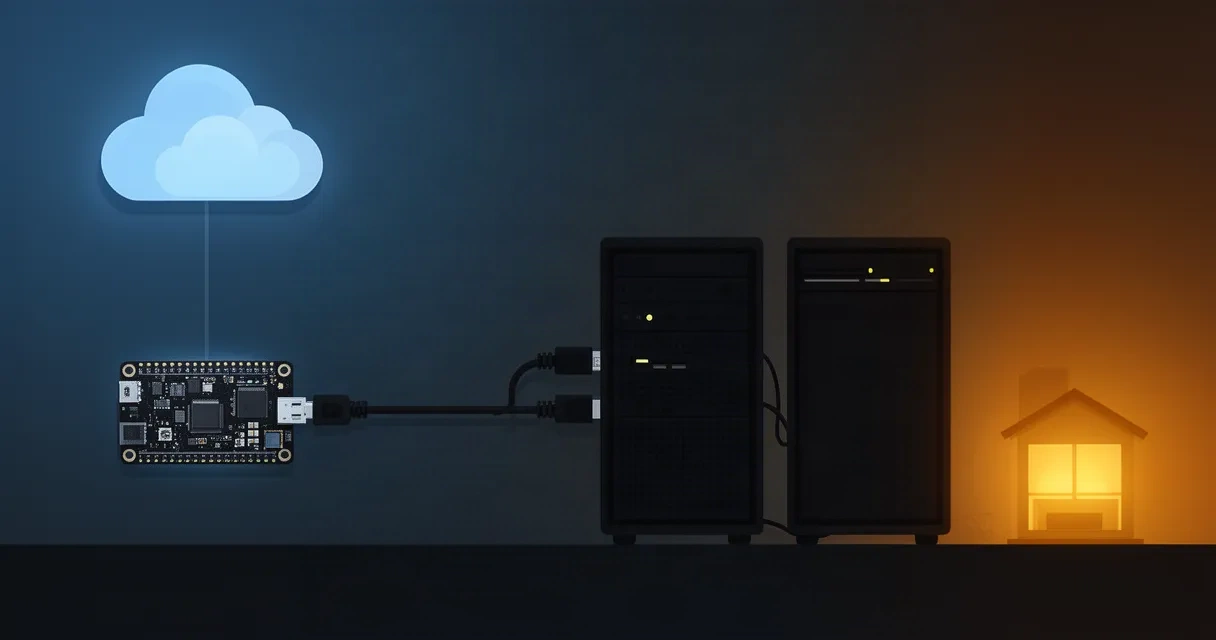
Continuous Integration and Continuous Deployment (CI/CD) have become essential for software teams. But running these workflows on proprietary platforms can feel restrictive, expensive, or misaligned with your infrastructure. If you manage your own servers, work behind a carrier-grade NAT (CGNAT), or simply want complete control over your deployment pipeline, Woodpecker CI offers a compelling alternative that prioritizes simplicity, transparency, and self-sovereignty.
This article explores how Woodpecker CI enables self-hosted automation on your own hardware—from Raspberry Pi edge devices to dedicated servers—and how tools like Piper extend those capabilities with zero-trust deployment. Whether you're running a side project, managing a home server, or building production infrastructure, understanding Woodpecker's architecture and workflow design will help you build reliable CI/CD systems without vendor lock-in.
## Understanding Woodpecker CI and Self-Hosted Runners
Woodpecker CI is a lightweight, open-source continuous integration and continuous delivery platform. Unlike cloud-based CI/CD services, Woodpecker runs on infrastructure you control, giving you full visibility into build environments, data handling, and security policies.
What Makes Woodpecker Different
Woodpecker is a fork of the Drone CI project, optimized for simplicity and resource efficiency. Its core design philosophy emphasizes:
- Lightweight footprint: Woodpecker requires minimal CPU and memory, making it viable on edge devices and home servers.
- Container-native workflows: Pipelines execute steps in isolated Docker containers, ensuring reproducibility and security boundaries.
- Git-driven automation: Workflows are defined in version-controlled YAML files (
.woodpecker.yml), keeping configuration alongside your code. - No vendor dependencies: Full control over when, where, and how your code builds and deploys.
Woodpecker integrates with Git platforms including Gitea, GitHub, GitLab, and Forgejo. When you push code or open a pull request, Woodpecker detects the event and executes the pipeline defined in your repository.
The Woodpecker Server and Agent Architecture
Woodpecker operates as a distributed system with two primary components:
Woodpecker Server is the central coordinator. It:
- Listens for events from your Git platform
- Parses pipeline configurations
- Schedules jobs across available agents
- Stores build history and artifacts
- Provides the web dashboard for monitoring
Woodpecker Agents are lightweight runners that execute pipeline steps. They:
- Connect to the server (outbound connection only)
- Poll for available work
- Execute pipeline steps in isolated containers
- Report results back to the server
- Can run on any device capable of container execution
This separation means agents need not expose inbound ports. Instead, they establish outbound connections to the server, making them compatible with restrictive network environments like CGNAT deployments.
## Setting Up Woodpecker Runners on Your Own Hardware
Deploying Woodpecker on your own infrastructure involves setting up a server, configuring one or more agents, and connecting your Git platform. The process is straightforward and works across Linux, macOS, and even Raspberry Pi systems.
Prerequisites and Environment Considerations
Before deploying, ensure your hardware meets these baseline requirements:
- Server: A machine (cloud, on-premises, or home server) running Linux with Docker support. A single CPU core and 512 MB RAM are sufficient for small deployments, though 2 cores and 2 GB RAM is more comfortable.
- Agents: Any Docker-capable Linux system, including Raspberry Pi 4 or later.
- Network: Outbound HTTPS access from agents to the server. Inbound internet access is optional; agents work behind CGNAT.
- Git platform: A Gitea, Forgejo, GitHub, or GitLab instance or account.
Installing Woodpecker Server
The recommended approach uses Docker Compose. Create a docker-compose.yml file:
version: '3.8'
services:
  woodpecker-server:
    image: woodpeckerci/woodpecker-server:latest
    environment:
      - WOODPECKER_HOST=https://ci.example.com
      - WOODPECKER_GITHUB=true
      - WOODPECKER_GITHUB_CLIENT=YOUR_CLIENT_ID
      - WOODPECKER_GITHUB_SECRET=YOUR_CLIENT_SECRET
      - WOODPECKER_AGENT_SECRET=GENERATE_A_STRONG_SECRET
    ports:
      - "8000:8000"
    volumes:
      - woodpecker-data:/var/lib/woodpecker
    restart: always

volumes:
  woodpecker-data:
Replace the placeholder values with your Git provider credentials and a strong, randomly generated agent secret (shared with agents for authentication). Set WOODPECKER_HOST to the public URL where your server is reachable.
Start the server:
docker-compose up -d
Access the dashboard at your configured host, then authorize via your Git platform. The server will create an admin account automatically.
Deploying Woodpecker Agents
Agents execute your pipeline steps. Deploy one or more agents on hardware where builds should run. For a home server or Raspberry Pi, create another docker-compose.yml:
version: '3.8'
services:
  woodpecker-agent:
    image: woodpeckerci/woodpecker-agent:latest
    environment:
      - WOODPECKER_SERVER=https://ci.example.com
      - WOODPECKER_AGENT_SECRET=GENERATE_A_STRONG_SECRET
      - WOODPECKER_AGENT_MAX_PROCS=2
    volumes:
      - /var/run/docker.sock:/var/run/docker.sock
    restart: always
    depends_on:
      - woodpecker-server
The WOODPECKER_AGENT_SECRET must match the value set on the server. WOODPECKER_AGENT_MAX_PROCS limits concurrent pipeline executions; adjust based on available CPU.
Start the agent:
docker-compose up -d
The agent will establish an outbound connection to the server and begin accepting work. No inbound port exposure is required.
Configuring Your First Pipeline
In your Git repository, create a .woodpecker.yml file at the root:
steps:
  build:
    image: node:18
    commands:
      - npm install
      - npm run build

  test:
    image: node:18
    commands:
      - npm test

  deploy:
    image: alpine:latest
    commands:
      - echo "Deploying application..."
    when:
      branch: main
      event: push
This pipeline defines three sequential steps: build, test, and deploy. The build and test steps run on every push, while deploy runs only on pushes to the main branch.
Commit and push this file. Woodpecker detects the push event, clones the repository, and executes the pipeline. View results in the Woodpecker dashboard.
## Deploying Applications with Piper After CI Passes
While Woodpecker handles the continuous integration layer (building and testing), you need a deployment platform to handle the actual deployment. This is where Piper complements Woodpecker's workflow.
Understanding Piper's Role in Your Pipeline
Piper is an open-source deployment platform that uses zero-trust networking principles. Rather than requiring agents to expose services or credentials, Piper agents establish outbound connections to a central relay, then receive deployment instructions.
In a Woodpecker + Piper workflow:
- Code is pushed to your repository.
- Woodpecker detects the event and runs build and test steps.
- On successful build, Woodpecker triggers a Piper deployment step.
- Piper agents on target devices (servers, edge hardware, Kubernetes clusters) pull deployment instructions through the secure relay.
- Applications are updated on target systems without requiring Woodpecker agents on those machines.
This architecture cleanly separates concerns: Woodpecker runs tests and creates artifacts, while Piper handles the actual deployment and orchestration.
Integrating Piper with Woodpecker Pipelines
Invoke Piper from a Woodpecker step:
steps:
  build:
    image: golang:1.21
    commands:
      - go build -o myapp .

  push_artifact:
    image: alpine:latest
    commands:
      - apk add --no-cache curl
      - curl -X POST https://artifact-store.example.com/upload -F "file=@myapp"

  deploy:
    image: piper/cli:latest
    environment:
      - PIPER_RELAY=https://relay.example.com
      - PIPER_TOKEN=${DEPLOYMENT_TOKEN}
    commands:
      - piper deploy --app myapp --version ${CI_BUILD_NUMBER} --target production
    when:
      branch: main
      event: push
    secrets:
      - deployment_token
Woodpecker's secret management allows you to store DEPLOYMENT_TOKEN securely; it's injected at runtime and never logged.
Zero-Trust Relay Architecture
Piper's relay operates on zero-trust principles:
- No credential storage on agents: Agents authenticate with the relay using ephemeral credentials.
- Outbound-only connections: Agents initiate all connections; the relay never pushes data to agents.
- Audit trail: Every deployment request and agent action is logged in the relay.
- CGNAT compatibility: Agents work from any network, including those behind carrier-grade NAT.
This design means your deployment agents can run on residential internet, behind corporate firewalls, or on edge devices without complex port-forwarding or VPN setup.
## Security and Trust in Self-Hosted CI/CD

Owning your CI/CD infrastructure introduces security responsibilities, but also grants you precise control over data flow and trust boundaries.
Secret Management in Woodpecker
Woodpecker handles secrets (API tokens, deployment credentials, registry credentials) through its dashboard:
- Navigate to your repository settings.
- Add secrets as key-value pairs.
- In your pipeline YAML, reference secrets with
${SECRET_NAME}. - Secrets are masked in build logs and available only to authorized steps.
Secrets are stored in Woodpecker's database. Encrypt them at rest using environment variables on the server:
export WOODPECKER_ENCRYPTION_KEY=$(openssl rand -base64 32)
Restricting Pipeline Execution
Limit which repositories and branches trigger pipelines:
- Repository-level: Disable or require approval for pipelines in forks or untrusted repositories.
- Event filters: Only run deployment steps on specific branches (e.g.,
main). - Approval gates: Require manual approval before sensitive steps execute (available via plugins).
Network Isolation and Firewalls
Deploy Woodpecker components on isolated networks:
- Server: Run on a private network behind a reverse proxy (nginx, Caddy) with HTTPS and authentication.
- Agents: Place on the same network as deployment targets when possible, reducing exposure.
- Database: Keep Woodpecker's data store off the internet.
Example reverse proxy configuration (Caddy):
ci.example.com {
  reverse_proxy localhost:8000
  encode gzip
}
Audit Logging and Compliance
Woodpecker logs all pipeline executions, agent connections, and user actions. Access logs via the dashboard or directly from the database. For compliance requirements, implement log aggregation:
steps:
  deploy:
    image: curlimages/curl
    commands:
      - curl -X POST https://log-aggregator.example.com/event \
          -d "action=deploy, status=success, timestamp=$(date -u +%s)"
## Real-World Use Cases: Home Servers and Edge Deployments
Woodpecker excels in scenarios where cloud CI/CD is impractical or undesirable.
Home Server Deployments
Many developers run personal projects on home servers. Woodpecker enables fully automated workflows:
- Setup: Deploy Woodpecker server and agent on the same home server (or separate machines on the same LAN).
- Workflow: Push code to a personal Gitea or GitHub repository. Woodpecker detects the push, builds the application, runs tests, and automatically restarts services.
- Cost: Zero monthly CI/CD fees; you're using existing hardware.
Example pipeline for a home-hosted web application:
steps:
  build:
    image: node:18
    commands:
      - npm install
      - npm run build

  deploy:
    image: alpine:latest
    commands:
      - scp -r ./dist user@homeserver:/var/www/myapp/
      - ssh user@homeserver "systemctl restart myapp"
    when:
      branch: main
      event: push
Raspberry Pi Edge Deployments
Raspberry Pi units are perfect Woodpecker agents for edge computing scenarios: IoT data collection, local ML inference, or distributed home automation.
- Hardware: Raspberry Pi 4 (4 GB RAM recommended) or Pi 5.
- OS: Raspberry Pi OS Lite with Docker support (via Docker's convenience script).
- Deployment: Multiple agents on different Raspberry Pi units, each handling region-specific workloads.
A pipeline might build an edge application, test it, and deploy to geographically distributed Pi units:
steps:
  build:
    image: golang:1.21-alpine
    commands:
      - apk add --no-cache build-base
      - go build -o edge-app .

  test:
    image: golang:1.21-alpine
    commands:
      - go test ./...

  deploy_west:
    image: piper/cli:latest
    environment:
      - PIPER_TARGET=west-region
    commands:
      - piper deploy --app edge-app --target ${PIPER_TARGET}
    when:
      branch: main

  deploy_east:
    image: piper/cli:latest
    environment:
      - PIPER_TARGET=east-region
    commands:
      - piper deploy --app edge-app --target ${PIPER_TARGET}
    when:
      branch: main
Kubernetes and Container Orchestration
Woodpecker agents can run inside Kubernetes clusters, enabling native CI/CD for cloud-native applications:
- Setup: Deploy Woodpecker server outside the cluster; agents run as Kubernetes Deployments or DaemonSets inside the cluster.
- Workflow: Build container images, push to a registry, and deploy via Helm or kubectl.
- Scaling: Kubernetes autoscaling automatically adjusts agent count based on pipeline queue depth.
## Comparing Self-Hosted CI/CD to Platform-as-a-Service Solutions
The CI/CD landscape includes many options. Understanding Woodpecker's trade-offs helps you choose the right tool for your needs.
Cloud-Based CI/CD (GitHub Actions, GitLab CI, etc.)
Advantages:
- Zero infrastructure management.
- Seamless integration with Git platforms.
- Generous free tiers for public projects.
- Automatic updates and security patches.
Disadvantages:
- Limited visibility into build environments.
- Data and artifacts stored on third-party servers.
- Potential compliance or data residency conflicts.
- Cost scaling with concurrent build minutes.
- Vendor lock-in; migrating workflows is cumbersome.
Self-Hosted CI/CD (Woodpecker CI)
Advantages:
- Full control and transparency; your data stays on your infrastructure.
- No recurring CI/CD costs (hardware is your only expense).
- Compatible with CGNAT and restrictive networks.
- Lightweight design works on modest hardware.
- Easy to customize and extend.
- No vendor lock-in; migrate away anytime.
Disadvantages:
- Requires infrastructure management (updates, security patches, backups).
- Initial setup effort and learning curve.
- You're responsible for uptime and disaster recovery.
- Smaller ecosystem of plugins compared to mainstream platforms.
- Limited free-tier compute (you provision all resources).
Hybrid Approach
Many teams run both: use GitHub Actions or GitLab CI for public projects and cloud integrations, while using Woodpecker for sensitive internal workflows or edge deployments. This flexibility is one of Woodpecker's strengths.
## Frequently Asked Questions
Can I run Woodpecker CI on a Raspberry Pi?
Yes. Woodpecker agents run efficiently on Raspberry Pi 4 and later models with Docker. A Pi 4 with 4 GB RAM is comfortable for light to moderate CI workloads. You can run both the server and agent on a single Pi, though separating them (server on faster hardware, agents on Pi units) provides better scalability. The lightweight design was specifically optimized for resource-constrained environments.
What is the difference between Woodpecker server and agent setup?
The server is the central hub: it listens for Git events, parses pipeline definitions, schedules jobs, and provides the web dashboard. The agent is the executor: it runs on hardware where builds should occur, maintains an outbound connection to the server, pulls jobs from the queue, and executes pipeline steps in containers. You deploy one server but can deploy many agents across different machines or networks. This separation enables load balancing and redundancy.
How does Piper's zero-trust relay work with Woodpecker pipelines?
Piper agents establish outbound connections to a central relay service. When Woodpecker triggers a deployment step (via a Piper CLI command), the request is sent to the relay, which queues it for connected agents. Agents periodically poll the relay for new work. This outbound-only architecture means agents never expose inbound ports and work from any network, including CGNAT. The relay maintains an audit trail of all deployments, providing compliance and debugging data.
Is Woodpecker CI suitable for production workloads?
Yes. Woodpecker powers production pipelines for numerous organizations. Its container-native design ensures reproducibility, and the distributed agent architecture provides redundancy. For mission-critical deployments, implement standard reliability practices: run the server on redundant hardware, maintain automated backups, deploy multiple agents for fault tolerance, and use monitoring to track system health. Woodpecker's simplicity actually reduces the attack surface and operational complexity compared to monolithic CI/CD platforms.
What are the licensing and cost implications?
Woodpecker is open-source under the Apache 2.0 license, meaning it's free to use, modify, and deploy. You pay only for infrastructure: the servers and agents running Woodpecker consume electricity and bandwidth. For home or small team projects, this often amounts to negligible cost. For larger deployments, a few dedicated servers and agents are far cheaper than cloud CI/CD services' per-minute pricing models, especially if you have existing infrastructure.
Can I migrate from GitHub Actions to Woodpecker?
Yes, migration is straightforward. GitHub Actions workflows (.github/workflows/*.yml) use similar structure to Woodpecker pipelines (.woodpecker.yml), though syntax differs in places. Key differences:
- GitHub Actions steps use
run:for shell commands; Woodpecker usescommands:. - GitHub Actions matrix strategy syntax differs from Woodpecker's approach.
- Some GitHub-specific contexts (e.g.,
github.event) map to Woodpecker equivalents.
Most workflows translate with minor adjustments. Test thoroughly before switching, and maintain both systems during a transition period if needed.
## Conclusion
Woodpecker CI represents a modern approach to continuous integration: open-source, lightweight, and designed for infrastructure you control. By pairing Woodpecker with deployment platforms like Piper, you can build complete CI/CD workflows from code commit to production deployment without proprietary platforms or recurring vendor costs.
Whether you're automating builds on a home server, orchestrating deployments across Raspberry Pi edge devices, or running production pipelines on your own infrastructure, Woodpecker provides the transparency and flexibility that proprietary CI/CD services cannot match.
The decision to self-host introduces operational responsibilities, but the trade-off is complete autonomy. Your data remains yours, your workflows are portable, and your infrastructure serves your needs—not the reverse.
Start your self-hosted CI/CD journey by deploying Woodpecker with Piper—push to git, deploy to any device. Explore Piper's open-source platform today.