# The Self-Hosted App Stack You Actually Need—and How to Deploy It Anywhere
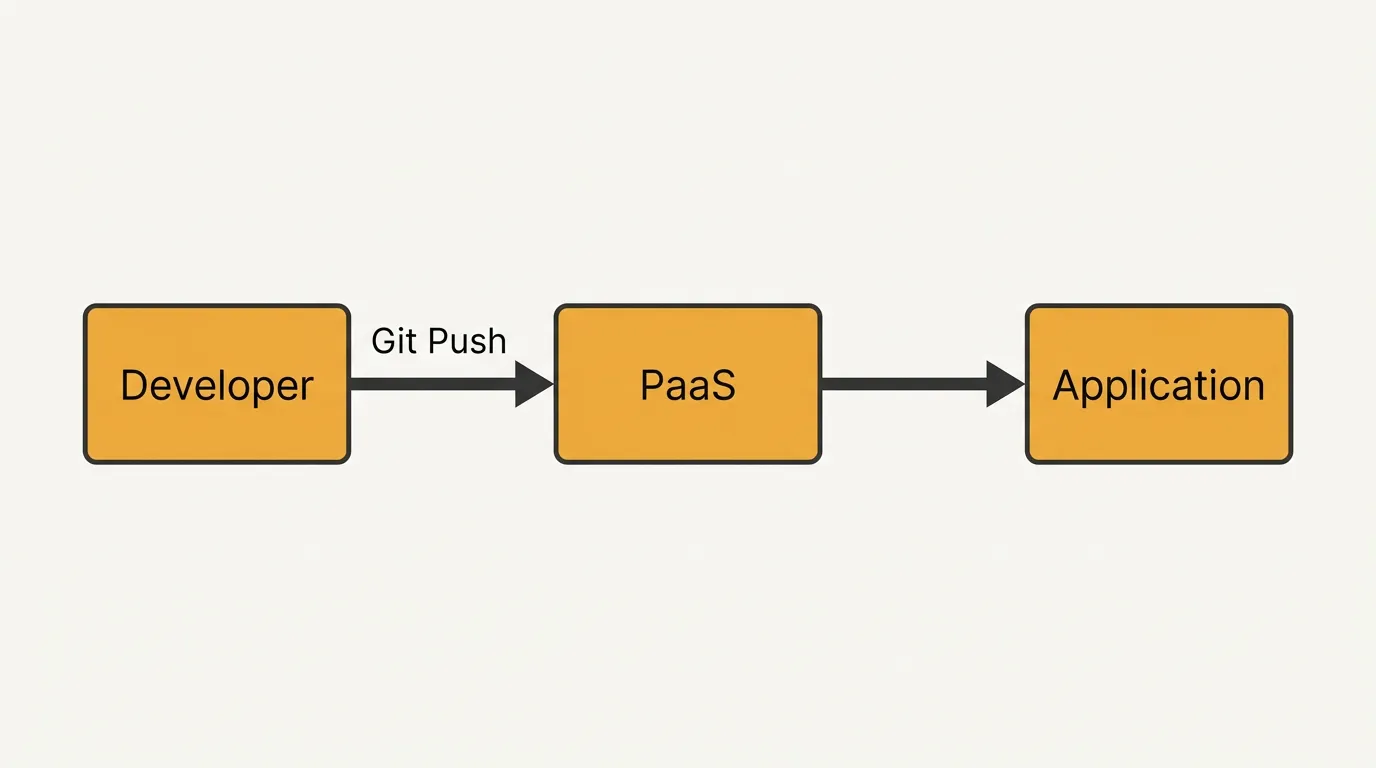
Self-hosting is no longer just for hobbyists—it's now a serious infrastructure strategy. Rising SaaS costs, data sovereignty rules, and the desire for full control over your stack have pushed developers and small teams toward running their own services. But figuring out which applications to self-host—and how to deploy them reliably—is still the hardest part.
This guide covers the best self hosted applications across every major category. It explains why traditional Platform-as-a-Service models fall short on personal hardware, and it walks through a modern deployment workflow that gets you from a git push to a publicly accessible HTTPS endpoint in minutes. Whether you run a home server, a Raspberry Pi cluster, or edge devices behind CGNAT, you'll find a practical path forward here.
## What Makes a Self-Hosted App Worth Deploying in 2025?
Not every application deserves a spot on your hardware. Before you spin up a container or provision a VM, check each candidate against these criteria:
Data sensitivity. If the app handles credentials, personal files, health records, or financial data, self-hosting removes a third-party trust dependency. You control encryption at rest and in transit.
Cost trajectory. Many SaaS tools charge per seat or per API call. A self-hosted alternative with a one-time hardware cost often breaks even within months.
Customization depth. Open-source projects like Nextcloud, Gitea, and n8n let you change behavior at the source level. Proprietary SaaS rarely offers that kind of freedom.
Offline or low-bandwidth operation. Applications that must work without a stable internet connection—think home automation dashboards or local media servers—are natural self-host candidates.
Longevity risk. When a startup shuts down, your data and workflows can vanish overnight. Self-hosted apps with active communities reduce that risk.
A useful rule of thumb: if losing access to the service for 48 hours would cause real pain, self-host it.
## The Core Self-Hosted Stack: Apps by Category
Below is a curated breakdown of the best self hosted applications organized by function. Each entry includes a brief note on resource requirements so you can match apps to your hardware.
File Storage and Sync
| Application | Resources | Notes |
|---|---|---|
| Nextcloud | 1 GB RAM minimum | Full collaboration suite with calendar, contacts, and office editing |
| Seafile | 512 MB RAM | Optimized for file sync speed; lighter than Nextcloud |
| Syncthing | 256 MB RAM | Peer-to-peer sync with no central server required |
Media and Entertainment
| Application | Resources | Notes |
|---|---|---|
| Jellyfin | 2 GB RAM (transcoding) | Free, open-source media server; no premium tier |
| Navidrome | 128 MB RAM | Lightweight music streaming with Subsonic API compatibility |
| Audiobookshelf | 512 MB RAM | Purpose-built for audiobooks and podcasts |
Development and DevOps
| Application | Resources | Notes |
|---|---|---|
| Gitea | 256 MB RAM | Git hosting with CI hooks; dramatically lighter than GitLab |
| Drone CI | 512 MB RAM | Container-native CI/CD that pairs well with Gitea |
| Uptime Kuma | 128 MB RAM | Status monitoring with alerting; single binary |
Automation and Integration
| Application | Resources | Notes |
|---|---|---|
| n8n | 512 MB RAM | Visual workflow automation; fair-code license |
| Home Assistant | 1 GB RAM | Home automation hub with thousands of integrations |
| Node-RED | 256 MB RAM | Flow-based programming for IoT and event-driven tasks |
Communication and Collaboration
| Application | Resources | Notes |
|---|---|---|
| Matrix (Synapse) | 1 GB RAM | Federated chat with end-to-end encryption |
| Vaultwarden | 64 MB RAM | Bitwarden-compatible password manager; extremely lightweight |
| Paperless-ngx | 1 GB RAM | Document management with OCR and full-text search |
Networking and Security
| Application | Resources | Notes |
|---|---|---|
| Pi-hole | 128 MB RAM | Network-wide DNS ad blocking |
| Tailscale | 64 MB RAM | Zero-config mesh VPN for connecting devices |
| Nginx Proxy Manager | 256 MB RAM | GUI-driven reverse proxy with automatic TLS |
This list is not exhaustive, but it covers the highest-impact categories where self-hosting delivers immediate value.
## Why Traditional PaaS Models Break on Self-Hosted Hardware
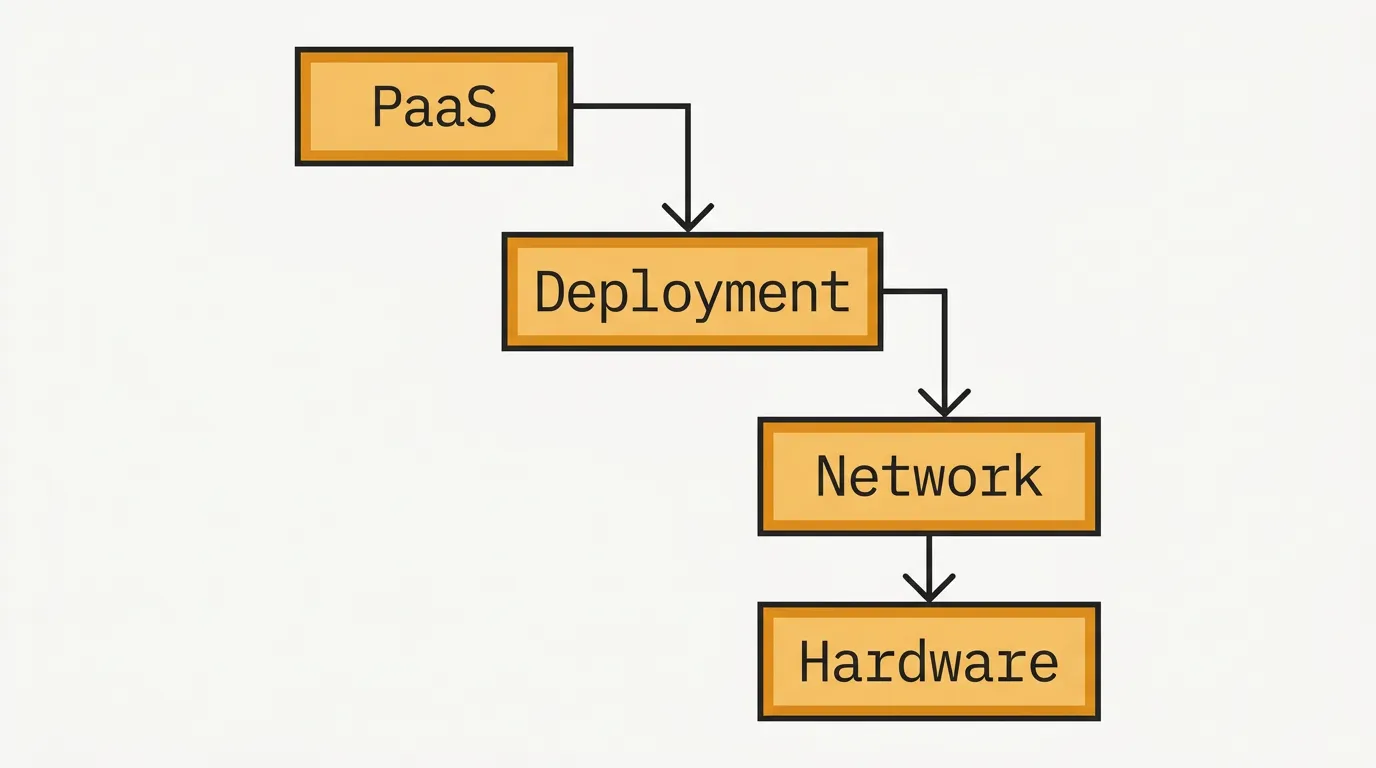
Platform-as-a-Service providers like Heroku, Render, and Railway abstract away infrastructure. You push code, and they handle build, deploy, scaling, and TLS. The model works beautifully—until you want to run it on a Raspberry Pi in your closet or a mini PC behind a carrier-grade NAT (CGNAT) connection.
Here is where the friction appears:
They assume a public IP. Most PaaS platforms expect your server to have a publicly routable IPv4 address. But home ISPs increasingly use CGNAT, which means your device shares an IP with hundreds of other customers. Inbound connections never reach you.
Build environment lock-in. PaaS buildpacks expect specific runtimes and directory structures. If your app needs a custom build step, a GPU, or a non-standard port, you hit walls quickly.
Cost at scale for hobby workloads. Running five small services on a PaaS often costs more than the electricity for a dedicated mini PC. The economics invert at low traffic.
No hardware access. Want to expose a GPIO pin, attach a USB drive, or use a local GPU for inference? PaaS sandboxes prevent all of that.
Vendor lock-in on deployment config. Procfiles, app.yaml files, and platform-specific CLIs create migration friction.
These limitations do not make PaaS bad—they make it the wrong tool for self-hosted scenarios. What you need instead is a deployment layer designed for arbitrary hardware, minimal resource overhead, and network environments where inbound ports are unavailable.
## Piper's Git Push Deployment: A Zero-Trust Path from Repo to Any Device
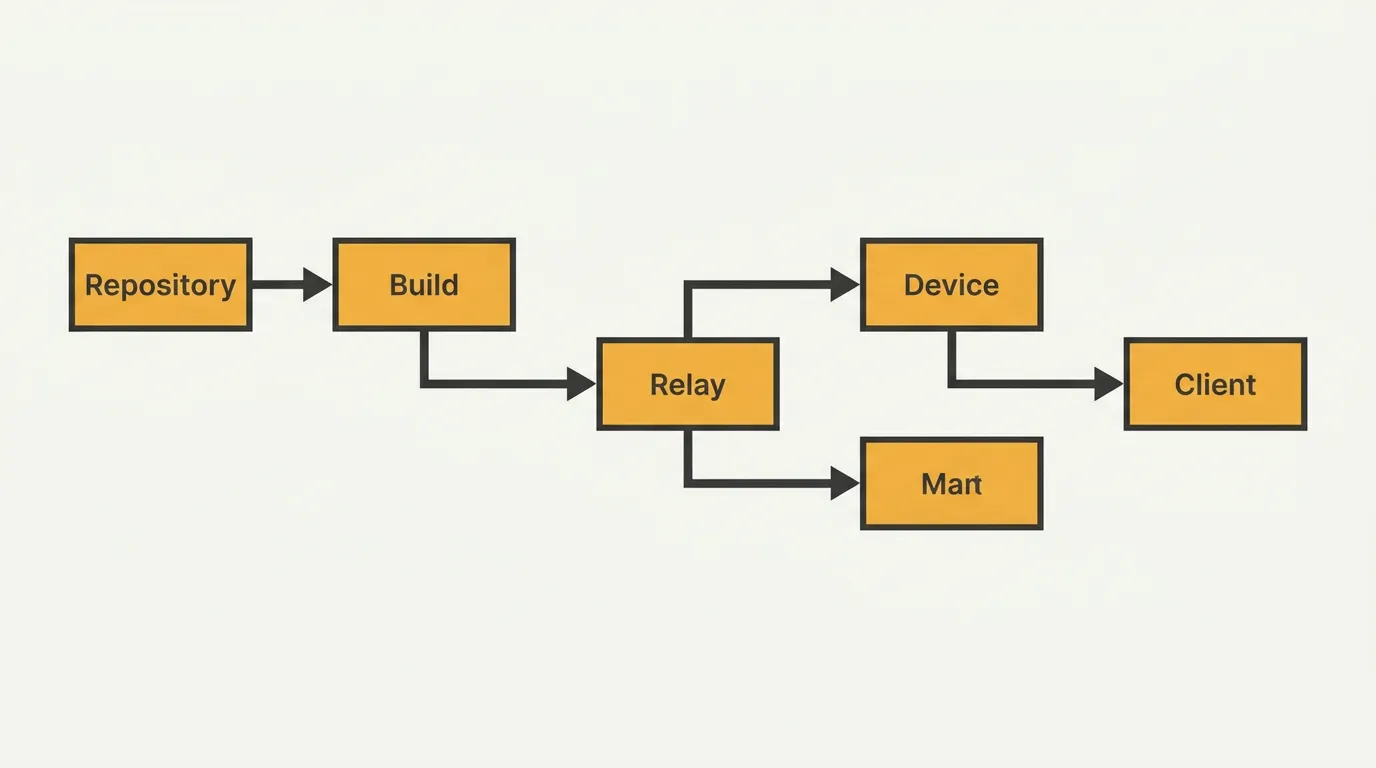
Piper closes the gap between "I have code in a repository" and "it is running on my hardware with a valid HTTPS certificate." The core workflow is deliberately simple:
# Add your Piper remote alongside your existing origin
git remote add piper piper@your-device-ip:your-app

# Deploy with a standard git push
git push piper main
That single push triggers the entire pipeline: code transfer, build (if needed), container or process start, and TLS certificate provisioning. No YAML files. No dashboard. No build server.
Zero-Trust Architecture
Piper treats every deployment as untrusted until verified. It does not open inbound ports or rely on port forwarding. Instead, it establishes an outbound tunnel from your device to the Piper relay, which means:
- CGNAT is not a problem. Because the connection initiates outward from your device, carrier-grade NAT and restrictive firewalls do not block it.
- No exposed SSH ports. You are not running
sshdon port 22 for the world to scan. - Ephemeral credentials. Each push uses short-lived authentication tokens rather than long-standing keys that can leak.
Lightweight by Design
Piper's agent runs in a few megabytes of memory. It does not require Kubernetes, Docker Compose orchestration layers, or a control plane. On a Raspberry Pi 4 with 2 GB of RAM, you can run the Piper agent alongside several application containers without noticeable overhead.
HTTPS Without Manual Certbot
When your app comes online, Piper provisions a TLS certificate automatically. You get a valid HTTPS URL without configuring DNS challenges, installing Certbot, or managing renewal cron jobs.
For a deeper dive into the full deployment lifecycle, see the guide on master application deployment from Git push to production on any hardware.
## Real-World Deployment Patterns: Home Server, Raspberry Pi, and Edge
Home Server (Mini PC or Repurposed Desktop)
This is the most common starting point. A device like an Intel NUC or an old ThinkCentre with 8–16 GB of RAM can run your entire self-hosted stack.
# Example: deploy a Nextcloud instance
cd nextcloud-docker
git remote add piper piper@192.168.1.50:nextcloud
git push piper main
# Output: ✓ Deployed — https://nextcloud.yourdomain.dev
Because the Piper agent initiates outbound connections, your home server works even if your ISP uses CGNAT or blocks inbound traffic on ports 80 and 443.
Raspberry Pi Cluster
A cluster of three or four Raspberry Pi 4 boards gives you redundancy and workload distribution. Assign each Pi a Piper agent and route services by resource profile:
- Pi 1: Lightweight services (Vaultwarden, Pi-hole, Uptime Kuma)
- Pi 2: Media (Navidrome, Audiobookshelf)
- Pi 3: Development (Gitea, Drone CI)
- Pi 4: Automation (n8n, Home Assistant)
Each Pi runs the Piper agent with negligible overhead, leaving nearly all RAM and CPU for your applications.
Edge and Remote Locations
Deploying to a device in a different physical location—a garage, an office, a rural property—follows the same git push workflow. The device connects outbound to the Piper relay, so you never need to configure port forwarding or dynamic DNS at the remote site.
# Deploy to a remote edge device
git remote add piper piper@edge-garage:home-assistant
git push piper main
This pattern is especially useful for IoT gateways, remote monitoring stations, or branch-office services where on-site IT support is unavailable.
## A Curated Shortlist to Start Your Self-Hosted Journey
If you are new to self-hosting, do not try to deploy everything at once. Start with three to five applications that deliver immediate daily value:
- Vaultwarden – Replace your password manager subscription. Runs in under 64 MB of RAM.
- Uptime Kuma – Monitor your other services and get alerted when something goes down.
- Nextcloud or Seafile – Reclaim control of your files and reduce cloud storage bills.
- Gitea – Host your own repositories with built-in issue tracking and pull requests.
- n8n or Node-RED – Automate repetitive tasks without paying for Zapier or Make.
Deploy each one using the git push workflow described above. Within an afternoon, you will have a functional self-hosted stack running on hardware you own, accessible over HTTPS, and costing you nothing in monthly subscriptions.
## What is Piper?
Piper is a deployment tool that lets you push code from a Git repository directly to any device you control—home servers, Raspberry Pis, edge nodes, or cloud VMs—and have it running with automatic HTTPS in minutes. It uses a zero-trust, outbound-connection model, so it works behind CGNAT, restrictive firewalls, and NAT without port forwarding. The agent is lightweight enough to run on resource-constrained hardware, and the entire workflow requires nothing more than a git push command.
## Final Thoughts
The best self hosted applications are the ones that solve a real problem for you today—not the ones that look impressive on a homelab subreddit. Start small, choose apps with low resource footprints, and use a deployment tool that respects the constraints of home and edge hardware.
Traditional PaaS platforms were not designed for a Raspberry Pi behind CGNAT. Piper was. The gap between "I have an idea" and "it is live on my hardware with HTTPS" should be one git push. Now it is.
Deploy your first self-hosted app with Piper—push your repo to your own hardware and get public HTTPS in minutes.