# Coolify Alternatives for Self-Hosted Git Push Deployment
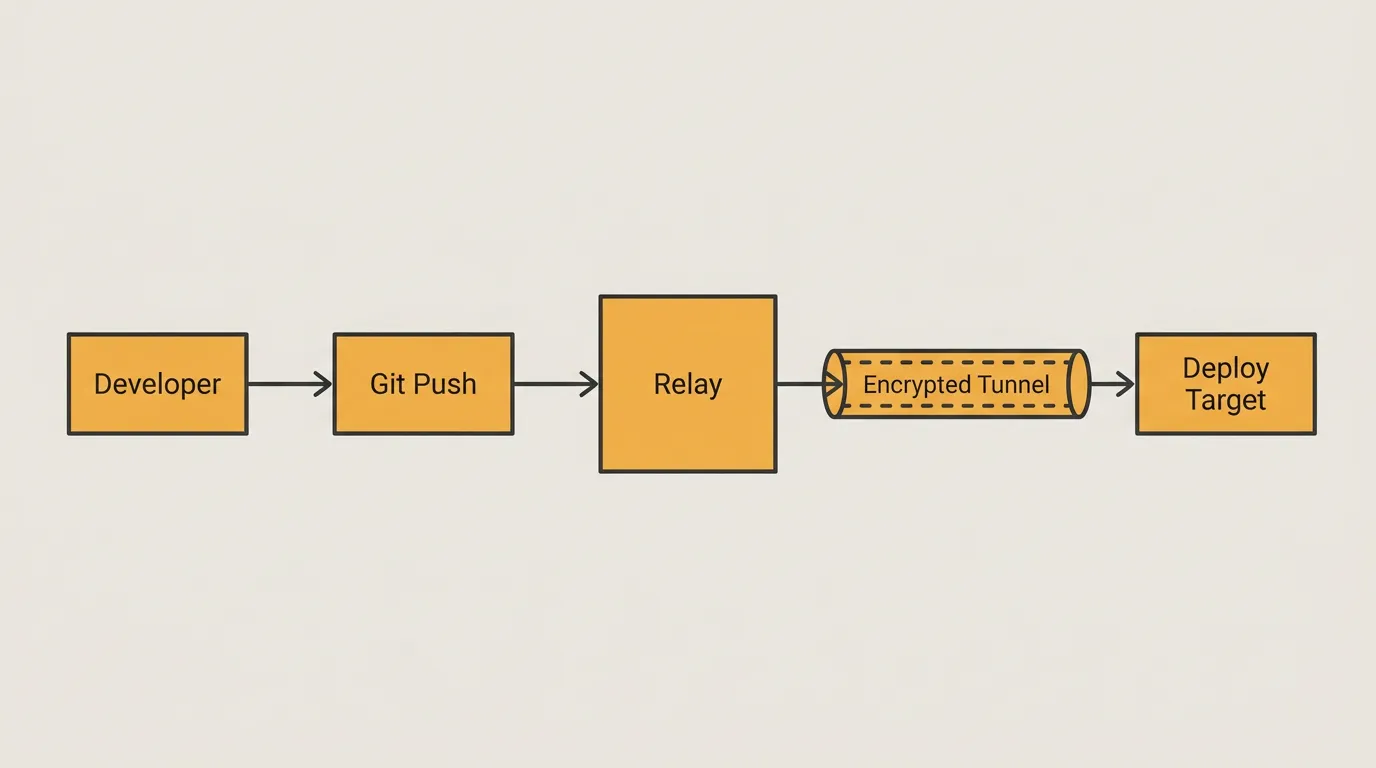
You have a home server or a small VPS, and you want the same smooth experience as pushing to Heroku or Vercel: git push and your app goes live with HTTPS. Coolify made that dream accessible for self-hosters, but it isn't the only option. Depending on your hardware, network setup, and security needs, other Coolify alternatives may fit better.
This guide explores the landscape of self-hosted deployment platforms. You'll learn why people look beyond Coolify, what criteria matter when choosing an alternative, and how newer zero-trust relay models change the game for home servers and edge devices. We finish with a side-by-side comparison and a concrete deployment workflow you can try today.
## Why Self-Hosters Look Beyond Coolify
Coolify is an open-source, self-hosted PaaS that hides much of the Docker and reverse-proxy complexity. It works well for many, but several recurring pain points push users toward alternatives:
- Resource overhead. Coolify runs a full stack—database, dashboard, proxy, build workers. On a machine with 2 GB of RAM or less, like a Raspberry Pi 4 or a budget VPS, that footprint feels heavy.
- Inbound port requirements. Coolify expects your server to be reachable from the internet. It sets up Traefik as a reverse proxy and assumes ports 80 and 443 are open. If your ISP uses CGNAT or you prefer not to expose ports, Coolify alone won't solve the problem.
- Update and migration complexity. Coolify manages its own internal state, so major version upgrades sometimes need manual steps.
- Single-server focus. Scaling beyond one host isn't a first-class feature. Teams wanting multi-node orchestration look elsewhere.
None of these are deal-breakers for everyone, but they are common enough that a healthy ecosystem of Coolify alternatives has grown around them.
## What to Evaluate in a Self-Hosted PaaS Alternative
Before you pick a platform, evaluate it against these criteria:
| Criterion | Why It Matters |
|---|---|
| Minimum hardware | Determines whether the tool fits your Raspberry Pi, old laptop, or cloud instance |
| Network model | Does it require open inbound ports, or can it work behind NAT/CGNAT? |
| Deployment trigger | Git push, webhook, CLI, or CI pipeline integration |
| Build strategy | Buildpacks, Dockerfile, Nixpacks, or pre-built images |
| TLS handling | Automatic HTTPS via Let's Encrypt, or manual cert management |
| Multi-app support | Can you run several projects on the same host without conflicts? |
| Maintenance burden | How often do you need to intervene for upgrades or security patches? |
Weight these based on your situation. A home-lab hobbyist with a Pi behind CGNAT has very different priorities than a freelancer running a VPS with a public IP.
## Three Deployment Models: Managed PaaS, Reverse Proxy Self-Hosting, and Zero-Trust Relay
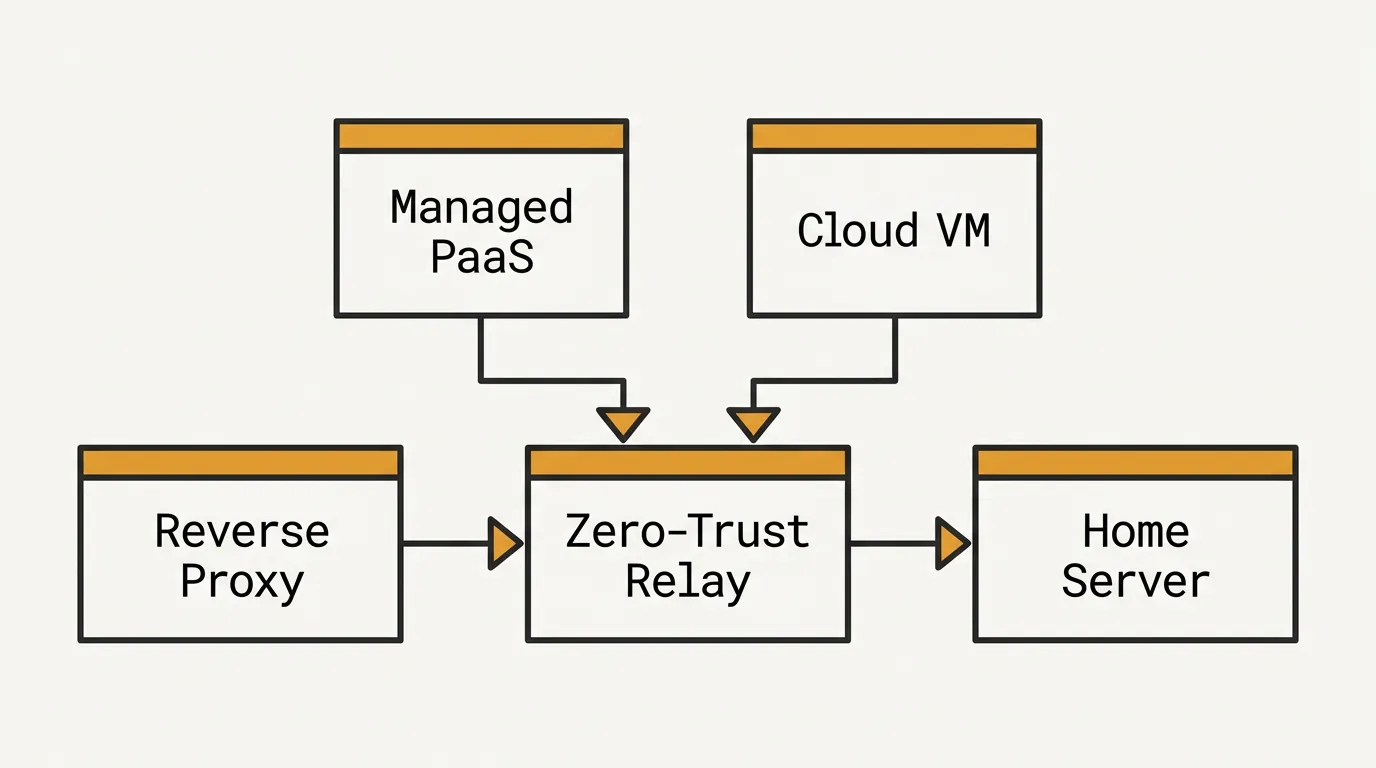
Understanding each tool's architectural model clarifies its trade-offs.
1. Managed PaaS (Hosted)
Platforms like Railway, Render, or Fly.io handle infrastructure for you. You push code; they build, deploy, and serve it. The downside is cost at scale and loss of data sovereignty. For self-hosters, this model is usually the thing they're trying to replace.
2. Reverse Proxy Self-Hosting
This is the Coolify and Dokploy model. Your server listens on ports 80/443. A reverse proxy (Traefik, Caddy, or Nginx) routes incoming requests to the correct container. You need a public IP or a tunnel (Cloudflare Tunnel, Tailscale Funnel) to make this work.
Internet → Port 443 → Traefik → Container A
                              → Container B
Strengths: mature tooling, familiar patterns.
Weaknesses: requires open ports, exposes attack surface, breaks behind CGNAT without a tunnel.
3. Zero-Trust Relay
A newer model. Instead of opening inbound ports, a lightweight agent on your server starts an outbound connection to a relay. External traffic flows through that relay into your container. No inbound ports are open on your firewall.
Internet → Relay (outbound-initiated) → Agent → Container
Strengths: works behind CGNAT, no exposed ports, minimal attack surface.
Weaknesses: depends on relay availability, adds one hop of latency.
This model makes deployment practical on home connections, mobile hotspots, and edge devices that lack a public IP.
## How Zero-Trust Deployment Changes the Home Server and Edge Story
If you have ever tried to self-host behind a consumer ISP, you know the pain:
- Your router gets a private IP from the ISP (CGNAT).
- Port forwarding is impossible because you don't control the outer NAT.
- Workarounds like Cloudflare Tunnel or Tailscale Funnel add configuration overhead and their own dependencies.
A zero-trust relay collapses those steps. The agent on your server dials out over standard HTTPS. The relay assigns you a public endpoint. You get automatic HTTPS without touching your router or DNS provider.
This matters for:
- Raspberry Pi deployments. A Pi 4 with 2 GB RAM can run a lightweight agent and a single application container without breaking a sweat.
- Home labs. Run services for friends or family without exposing your home IP.
- Edge and IoT gateways. Devices on cellular or satellite links often sit behind double NAT. Zero-trust relay handles this natively.
- Developers on restricted networks. Corporate or university networks that block inbound traffic are no longer a barrier.
Security also improves. With no open ports, there is nothing for automated scanners to find. The only entry point is the relay, which can enforce authentication and rate limiting before traffic reaches your machine.
## Coolify, Dokploy, Dokku, and Piper Compared
The table below summarizes four popular options that self-hosters evaluate when searching for Coolify alternatives.
| Feature | Coolify | Dokploy | Dokku | Piper |
|---|---|---|---|---|
| Open source | Yes | Yes | Yes | Yes |
| Min. RAM | ~2 GB recommended | ~2 GB recommended | ~512 MB | ~128 MB agent |
| Inbound ports required | Yes (80/443) | Yes (80/443) | Yes (80/443) | No |
| CGNAT compatible | No (without tunnel) | No (without tunnel) | No (without tunnel) | Yes |
| Build strategy | Dockerfile / Nixpacks | Dockerfile | Buildpacks / Dockerfile | Dockerfile / OCI image |
| Dashboard | Web UI | Web UI | CLI only | CLI + API |
| Git push deploy | Yes | Yes | Yes | Yes |
| Automatic HTTPS | Yes (Traefik) | Yes (Traefik) | Yes (Let's Encrypt) | Yes (via relay) |
| Multi-app on one host | Yes | Yes | Yes | Yes |
| Raspberry Pi friendly | Marginal | Marginal | Yes | Yes |
When each tool shines
- Coolify works best when you have a VPS with a public IP and want a polished UI for managing multiple apps.
- Dokploy appeals to users who want a Coolify-like experience with a slightly different UI and feature set.
- Dokku suits CLI-first developers who prefer Heroku-style workflows without a web dashboard.
- Piper fits scenarios where you can't or don't want to open inbound ports—home servers behind CGNAT, Raspberry Pi projects, and security-conscious deployments.
For a deeper look at how these platforms compare in the broader context of container management, see our analysis of Git-driven deployment platforms as Portainer alternatives.
## Deployment Workflow Example: From Git Push to Public HTTPS
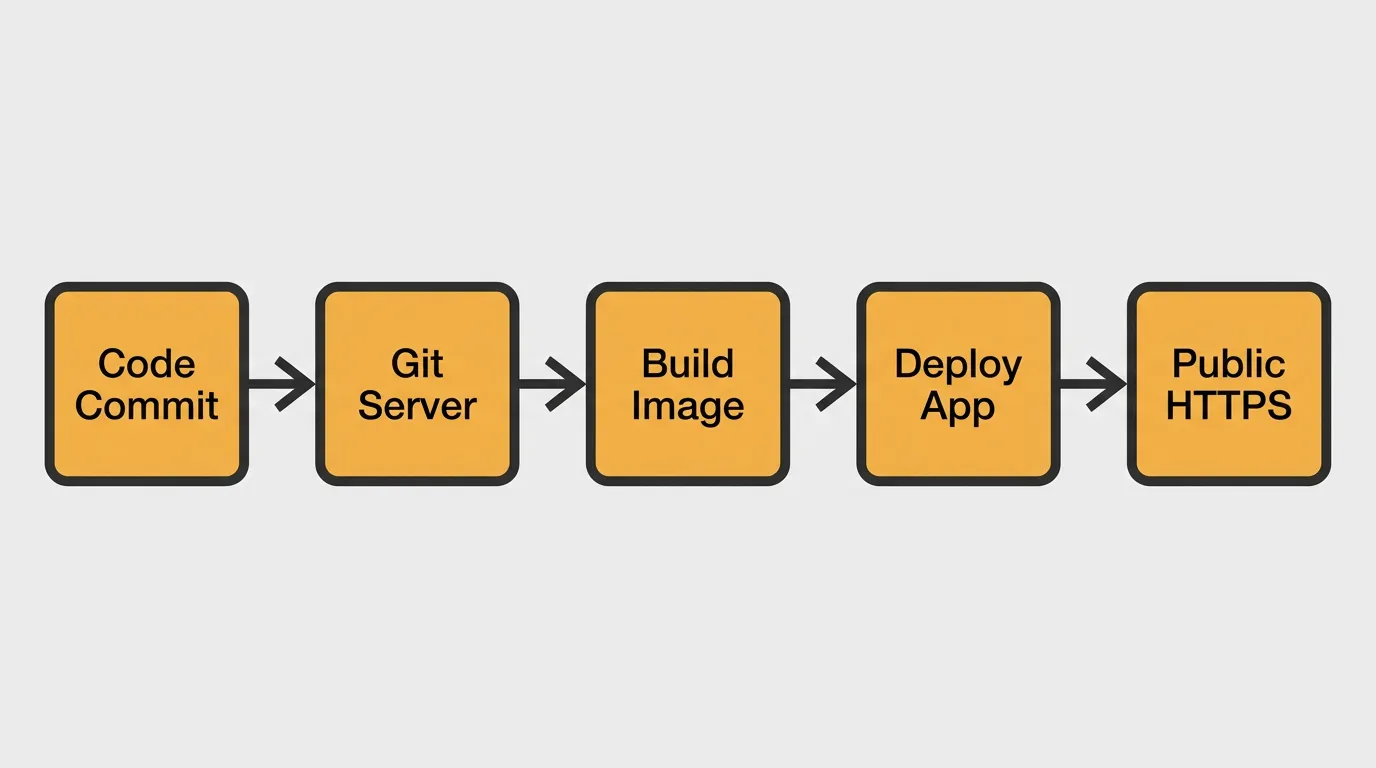
Below is a practical walkthrough using Piper on a Raspberry Pi 4 behind CGNAT. The same steps apply to any Linux machine.
Step 1: Install the agent
curl -fsSL https://get.piperbox.dev | sh
The agent is a single static binary. It uses less than 50 MB of RAM at idle.
Step 2: Authenticate and link your repository
piper auth login
piper app create my-blog --repo git@github.com:you/my-blog.git
Step 3: Push to deploy
git push piper main
The agent pulls the repository, builds the Dockerfile (or pulls a pre-built image), starts the container, and registers a public HTTPS endpoint with the relay.
Step 4: Verify
piper app url my-blog
# https://my-blog-abc123.piperbox.dev
No port forwarding. No DNS configuration. No Traefik. The entire flow from push to live HTTPS took under two minutes.
Comparison: the same workflow with Coolify
With Coolify you would:
- Provision a VPS with a public IP.
- Install Coolify via its setup script.
- Open ports 80 and 443 in your firewall.
- Point a DNS A record to your server.
- Create a project in the Coolify dashboard, link the repository, and deploy.
- Wait for Traefik to provision a Let's Encrypt certificate.
The result is the same—a live HTTPS endpoint—but the steps are more involved and the attack surface is larger.
## FAQ: Coolify Alternatives
What is a Coolify alternative?
A Coolify alternative is any self-hosted platform that lets you deploy applications from a Git repository to your own hardware with minimal manual infrastructure work. Popular options include Dokploy, Dokku, CapRover, and Piper. They differ in resource requirements, network model, and whether they require open inbound ports.
Can I deploy from GitHub or Gitea?
Yes. Most Coolify alternatives support any Git remote. You can push from GitHub, GitLab, Gitea, Codeberg, or a bare repository. Piper and Dokku use a Git remote you add locally (git remote add piper ...). Coolify and Dokploy connect via webhook or deploy key.
Does zero-trust relay work for devices behind CGNAT?
Yes. That is the primary advantage of the zero-trust relay model. Because the agent initiates an outbound connection, it does not matter whether your device is behind one or multiple layers of NAT. As long as the device can reach the internet over HTTPS, deployment works.
Is Piper lightweight enough for a Raspberry Pi?
Yes. The Piper agent is a single binary that uses under 50 MB of RAM at idle. A Raspberry Pi 4 with 1 GB of RAM can comfortably run the agent plus one application container. For heavier workloads (databases, multiple services), a Pi with 4 GB is more comfortable.
What is the main difference between Piper and Coolify?
The core difference is the network model. Coolify requires your server to be publicly reachable on ports 80 and 443. Piper uses a zero-trust relay, so your server initiates an outbound connection and never opens inbound ports. This makes Piper suitable for home servers behind CGNAT, Raspberry Pi devices on consumer networks, and anyone who prefers not to expose their machine directly to the internet.
Deploy your next project to your own hardware with Piper: push your repository and get a public HTTPS endpoint without opening inbound ports.