# Beyond Portainer: How Git-Driven Deployment Platforms Compare for Self-Hosted Environments
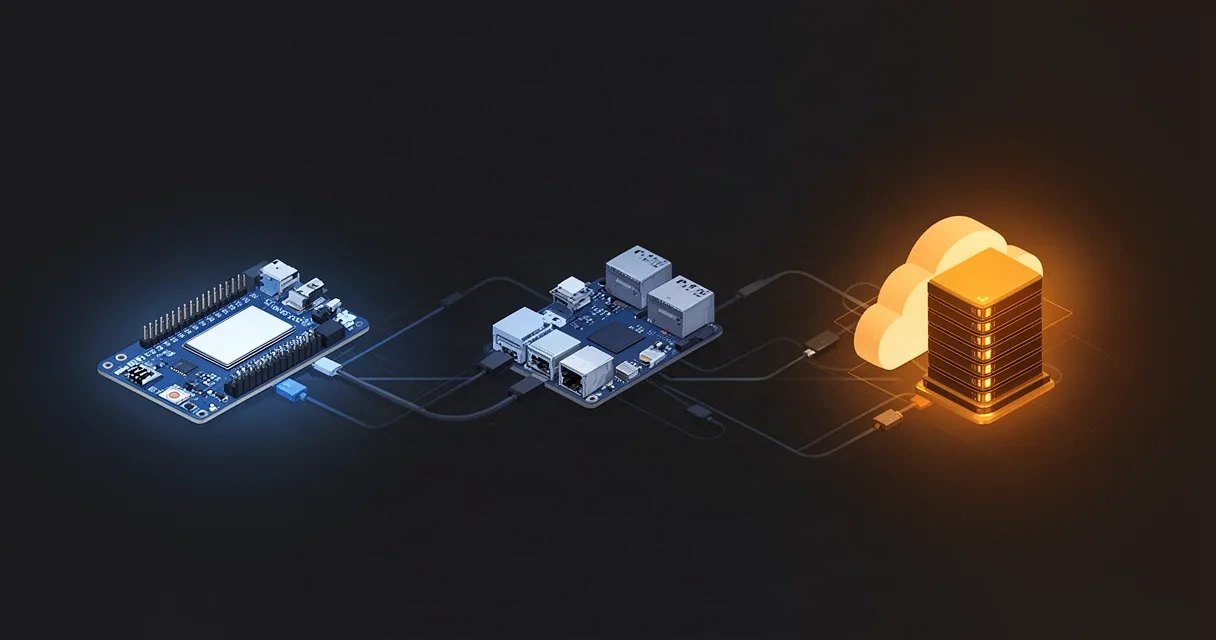
Portainer has become the go-to UI for many Docker administrators, especially in home and edge environments. Its web dashboard makes container management visually intuitive, but it's far from the only option—and for certain workflows, it may not be the best fit.
As infrastructure becomes more distributed, teams and individuals increasingly need deployment solutions that work seamlessly across networks without exposing ports, handle edge hardware efficiently, and integrate tightly with development workflows. This is where exploring alternatives to Portainer becomes interesting. The conversation isn't just about finding another UI-based tool; it's about understanding whether your use case benefits from a fundamentally different approach to deployment and container orchestration.
This article explores the broader ecosystem of Docker management tools and deployment platforms, with special focus on how git-driven solutions stack up against traditional UI-based container managers. Whether you're running a single Raspberry Pi, managing multiple servers across a home lab, or deploying to devices behind restrictive networks, understanding the strengths and trade-offs of each approach will help you choose the tool that fits your infrastructure and workflow.
## Understanding the Portainer Landscape
Portainer simplified Docker management for millions of users by replacing the command line with a polished web interface. You can provision containers, manage volumes, inspect logs, and configure networks all from a browser. It runs as a lightweight container itself, making it easy to deploy on virtually any host.
However, this web-based model comes with some built-in assumptions:
- Direct network access: Portainer typically needs to be reachable on a stable IP or hostname, often requiring port forwarding or VPN tunneling from outside networks.
- UI-driven workflows: Most operations happen through buttons and forms, which works well for one-off tasks but can feel tedious for repetitive deployments or infrastructure-as-code approaches.
- Agent architecture for multi-node: Managing multiple hosts requires running Portainer agents on each remote device and establishing network connectivity back to the central Portainer instance.
- State management: Configuration changes live in Portainer's database, not in version-controlled code, making auditing and rollbacks more complicated.
These design choices serve a purpose—especially for ops teams new to Docker—but they also reveal where alternatives might shine. Before evaluating specific tools, it's worth asking: Does your workflow prioritize ease of first-time use, or do you need integration with CI/CD pipelines, GitOps patterns, and secure remote access without port forwarding?
## Key Differences Between Portainer and Git-Driven Deployment Platforms

The biggest shift in alternative deployment platforms is moving from UI-driven operations to code-driven declarations. Instead of clicking through a web interface, you push updates to a Git repository, and the deployment system automatically synchronizes your infrastructure to match the desired state.
UI-Based Approach (Portainer)
- Changes made through web dashboard
- State stored in centralized database
- Real-time feedback through browser
- Best for ad-hoc management and learning
Git-Driven Approach
- Infrastructure declared in YAML or configuration files
- Changes tracked in version control (Git)
- Continuous reconciliation between Git and live state
- Audit trail embedded in commit history
How Git-Driven Platforms Communicate with Remote Devices
One of the biggest practical differences is how these tools establish and maintain connections to remote devices, especially those behind NAT, CGNAT, or firewalls.
Portainer's Model:
- The device hosting Portainer needs to be reachable from your management computer (or you must VPN in).
- Remote agents establish outbound connections back to the Portainer server.
- Network topology dictates feasibility—if your Raspberry Pi is behind a router and you want to manage it from outside, you typically need port forwarding or a VPN.
Git-Driven Model with Relay Architecture:
- Deployment agents on each device maintain persistent, outbound WebSocket connections to a relay server.
- The relay server is small and stateless—it simply brokers connections; it doesn't store your infrastructure config.
- Your Git repository is the single source of truth, not a centralized database.
- Devices behind CGNAT, NAT, or restrictive firewalls work without special network configuration.
This relay-based approach is particularly valuable in home lab and edge scenarios, where devices frequently sit behind ISP-controlled NAT layers or carrier-grade NAT (CGNAT), making inbound access nearly impossible.
Comparison of Common Alternatives
Several categories of tools serve as Portainer alternatives:
Traditional Container Orchestration
- Docker Swarm: Lighter than Kubernetes but requires manual setup of the swarm cluster.
- Kubernetes (K3s, MicroK8s): Full-featured but heavier; excellent for multi-node production environments, overkill for a single Raspberry Pi.
GitOps and Declarative Platforms
- ArgoCD: Popular for GitOps workflows; pulls changes from Git and applies them to a Kubernetes cluster. Requires Kubernetes knowledge.
- Flux: Another GitOps tool tightly integrated with Kubernetes and Git repositories.
- Git-driven platforms purpose-built for edge and home deployments with zero-trust relay architecture.
Specialized Edge and Home Deployment Tools
- Lightweight platforms designed specifically for edge hardware, remote deployments without port forwarding, and tight Git integration.
- Often include built-in secure relay servers, minimizing configuration overhead.
Each category involves trade-offs between simplicity, feature richness, and operational complexity.
## Deployment Platforms for Home Servers and Edge Hardware

Home labs and edge deployments have unique constraints that shift the calculus of tool selection. Your Raspberry Pi or NAS at home might sit behind multiple layers of NAT. Your cluster might span devices on different networks. You probably want to avoid managing VPN certificates or configuring port forwarding rules.
Scenario: Multi-Device Deployment Without Port Forwarding
Imagine you have:
- A Raspberry Pi running behind your home router
- A small cloud instance running your main application
- A NAS on the same local network as the Pi
- All controlled from your laptop
With a traditional Portainer setup, you'd face this workflow:
- Port forward port 9000 on your home router (or run a VPN).
- Access Portainer separately on each device or set up Portainer agents.
- Manage credentials and network access for remote connectivity.
With a git-driven relay-based platform:
- Install a lightweight deployment agent on each device.
- All agents connect outward to the same relay server.
- Push your configuration to Git.
- All devices, regardless of network location, converge to the desired state.
The workflow is cleaner, more auditable, and doesn't require any inbound firewall rules on your home network.
Lightweight Design for Constrained Hardware
Portainer runs as a container and requires moderate resources. On a Raspberry Pi 4, it's manageable, but on older Pi models or IoT devices, the overhead becomes noticeable.
Git-driven agents designed for edge hardware are typically minimal—often using just a few dozen megabytes of memory and disk space. They don't include a web server or database; they pull configuration from Git at intervals, compare it to the running state, and update containers as needed.
This lightweight approach is essential when you're deploying to dozens of heterogeneous devices, each with limited CPU and RAM.
Handling Offline and Unreliable Connectivity
Edge devices frequently lose connectivity. When a Raspberry Pi reboots or your internet drops for a minute, you need your deployment system to handle it gracefully.
Git-driven platforms with relay architecture handle this well:
- The device maintains the last-known desired state from its most recent Git pull.
- When connectivity is restored, it reconnects to the relay and synchronizes any changes.
- If the relay server is temporarily down, local agents continue running existing containers.
- Once the relay returns, agents reconnect and fetch any pending updates.
Portainer's architecture doesn't handle these scenarios as well, since the web UI requires active connectivity, and agents depend on reaching the central Portainer instance.
## Zero-Trust Architecture and Security Considerations
Security is often mentioned but rarely explained in practical terms. Here's what matters:
Traditional Model: Trust the Network
Most container management tools, including Portainer, assume that if you can reach the UI or agent, you're trusted. The network boundary is the security boundary. If someone gains access to your network—through a WiFi compromise, a rogue device, or an ISP-level breach—they can manage your containers.
This model made sense when infrastructure lived in a data center, but it breaks down in edge and home environments, where network security is often weak.
Zero-Trust: Trust the Device, Not the Network
Zero-trust architecture (sometimes called "assume breach") flips the assumption: every device must prove its identity using cryptography, regardless of which network it's on. Every communication is authenticated and, typically, encrypted.
In a zero-trust deployment system:
- Each device has a unique cryptographic key (installed during provisioning).
- Devices identify themselves to the relay server using this key.
- The relay server verifies the identity and routes only authorized commands to that device.
- Communication is encrypted end-to-end.
- Even if an attacker compromises your network, they can't impersonate a device or intercept commands.
Real-world implications:
- You can safely run devices on public WiFi or untrusted networks.
- A compromised home router doesn't expose your edge devices.
- Scalability improves because you don't need to secure a flat network.
For home and edge deployments, this is a significant security upgrade.
Audit and Compliance
Git-based deployment systems create an immutable audit trail:
- Every deployment is a Git commit, signed and timestamped.
- You can see who changed what, when, and why (via commit messages).
- Rollbacks are as simple as reverting a commit.
- Portainer's database changes are harder to audit and rollback.
## Real-World Workflows: From Code Push to Running Container
Understanding how these tools work in practice clarifies their strengths. Let's walk through two scenarios.
Scenario 1: Single Raspberry Pi Running a Personal Project
Goal: Deploy a Node.js app and a Redis container to a Raspberry Pi at home.
With Portainer:
- SSH to the Pi or access Portainer via browser.
- Manually pull the images you need.
- Create a container via the UI, setting environment variables, volumes, and port mappings.
- Repeat for Redis.
- To update, either rebuild the containers manually or use a webhook and script.
With a Git-Driven Platform:
- Write a deployment manifest (YAML or similar) declaring your app and Redis containers.
- Push to Git.
- The deployment agent on your Pi pulls the manifest and starts the containers.
- To update the app version, edit the manifest, push, and the Pi automatically deploys the new version.
- All changes are in Git; rollback is just a revert.
The git-driven workflow is more declarative, auditable, and repeatable. If the Pi reboots, you can re-provision from the same manifest.
Scenario 2: Home Lab with Multiple Devices Across Networks
Goal: Run a web server on a cloud instance, a database on a home NAS, and caching on a Raspberry Pi—all working together.
With Portainer:
- You'd need to set up Portainer on one device and agents on the others.
- Agents on home devices would need inbound reachability or outbound forwarding.
- To deploy a coordinated update across all three, you'd log into each Portainer instance or manage agents manually.
- Rollback requires reverting changes on each device individually.
With a Git-Driven Platform with Relay Architecture:
- A single Git repository contains manifests for all three devices (tagged by device ID or hostname).
- All three agents connect outward to the same relay server.
- A single Git push updates all three devices.
- Devices behind CGNAT, firewalls, and different networks all work seamlessly.
- Your entire infrastructure history lives in Git.
Here's a simplified example of what a manifest might look like:
devices:
  cloud-instance:
    containers:
      - name: web-server
        image: nginx:latest
        ports:
          - "80:80"
          - "443:443"
  home-nas:
    containers:
      - name: database
        image: postgres:15
        volumes:
          - /data/postgres:/var/lib/postgresql/data
  raspberry-pi:
    containers:
      - name: redis
        image: redis:7-alpine
        ports:
          - "6379:6379"
When you push this to Git, each device pulls its section and converges to that state. If you need to add a monitoring container to the Pi, you edit the manifest, push, and it appears on the next sync cycle.
## Choosing the Right Tool for Your Infrastructure
The best tool depends on your specific needs and constraints. Here's a decision framework:
Choose Portainer if You:
- Need a polished UI for one-time or infrequent container management.
- Are primarily managing a single host or small, well-connected cluster.
- Prioritize ease of learning over infrastructure-as-code practices.
- Have a stable, flat network topology.
- Don't require integration with Git or CI/CD pipelines.
Choose a Git-Driven Alternative if You:
- Deploy frequently and want deployments tracked in Git commits.
- Manage devices across multiple networks (home, cloud, remote offices).
- Have devices behind NAT, CGNAT, or restrictive firewalls.
- Require zero-trust security and cryptographic identity verification.
- Want a lightweight agent for constrained hardware.
- Prefer infrastructure-as-code and version control over UI-driven state.
- Need reliable offline handling and network resilience.
Scale and Complexity
For a single Raspberry Pi running a personal project, Portainer is simpler to learn. For a growing home lab or edge deployment spanning multiple devices and networks, git-driven platforms reduce operational friction and improve security.
Team vs. Solo
If you're solo, version control and audit trails might feel like extra work. If you work with others or need to remember what you did six months ago, Git-based tracking becomes invaluable.
## Frequently Asked Questions
What makes a good Portainer alternative for home server deployments?
A good alternative should require minimal resources, work seamlessly across multiple networks without port forwarding, include secure authentication for remote access, and integrate with version control. Git-driven platforms with relay architecture excel here because they avoid the need for inbound network access and put your infrastructure config in Git.
Can I deploy to a Raspberry Pi behind a router without port forwarding?
Yes, with platforms using relay architecture. The Pi's agent maintains an outbound connection to the relay server. Commands and configuration updates flow through that connection, eliminating the need for inbound firewall rules. This is a core advantage over traditional Portainer setups in home environments.
How do git-based deployments differ from UI-driven container management?
Git-based deployments declare desired state in configuration files (YAML, JSON, etc.) stored in version control. UI-driven tools like Portainer apply changes through a dashboard, with state typically stored in a database. Git-based approaches are more auditable, repeatable, and easier to integrate with CI/CD pipelines. UI-driven tools are more intuitive for one-off tasks.
What security advantages does a relay-based architecture provide?
Relay-based systems implement zero-trust security: each device proves its identity using cryptography, and communication is encrypted end-to-end. The relay server doesn't store sensitive data; it only routes authenticated messages. This means you can safely manage devices on untrusted networks, whereas traditional architectures trust the network boundary.
Are there open-source alternatives that work offline or without external dependencies?
Yes, many git-driven deployment platforms are open-source and can run entirely on your own infrastructure. They work offline by caching the last-known desired state and continuing to run existing containers until connectivity is restored. Lightweight agents also minimize external dependencies.
How do these alternatives handle multi-device deployments?
Git-driven platforms with relay architecture handle multi-device deployments elegantly: a single Git repository contains manifests for all devices, agents on each device connect to the same relay, and a single push synchronizes all. Portainer requires either running agents on each device (with network connectivity to the central server) or managing each device separately.
## Conclusion
Portainer remains a solid choice for learning Docker and managing single hosts with stable networks. But the containerization landscape has evolved, and so have deployment requirements. As infrastructure sprawls across networks, onto edge devices, and behind restrictive firewalls, platforms built on different principles—git-driven declarations, relay-based architecture, and zero-trust security—offer significant practical and operational advantages.
The choice isn't just about finding another UI. It's about aligning your deployment tool with your workflow, security posture, and infrastructure reality. For home labs, edge deployments, and distributed systems, git-driven alternatives reduce friction, improve auditability, and enable secure deployments to any device, anywhere.
Ready to move beyond UI-based container management? Explore how Piper's git-driven deployment model and zero-trust relay architecture simplify deployments to any device—from cloud instances to Raspberry Pis behind CGNAT. Learn more about Master Application Deployment: From Git Push to Production on Any Hardware.